
Checked pupil roster import
Import the minimum pupil, Year, form and House membership needed for House work.
For house coordinators, data managers
Product walkthrough · HP Source
Turn checked point records into clear standings and practical reward work, with visible rules and a traceable route to recognition.
These product screens use demonstration records. Your school’s access and connections depend on its licences and setup.
Explore HP Source
School examples and feature detail.
Area 1 of 7
HP Source
Start with the pupil information your school needs, check how incoming points are read, and keep a clear record when something needs correcting.
Wonde and lesson-to-points connections need approved school scope, relevant licences and checked setup before activation.
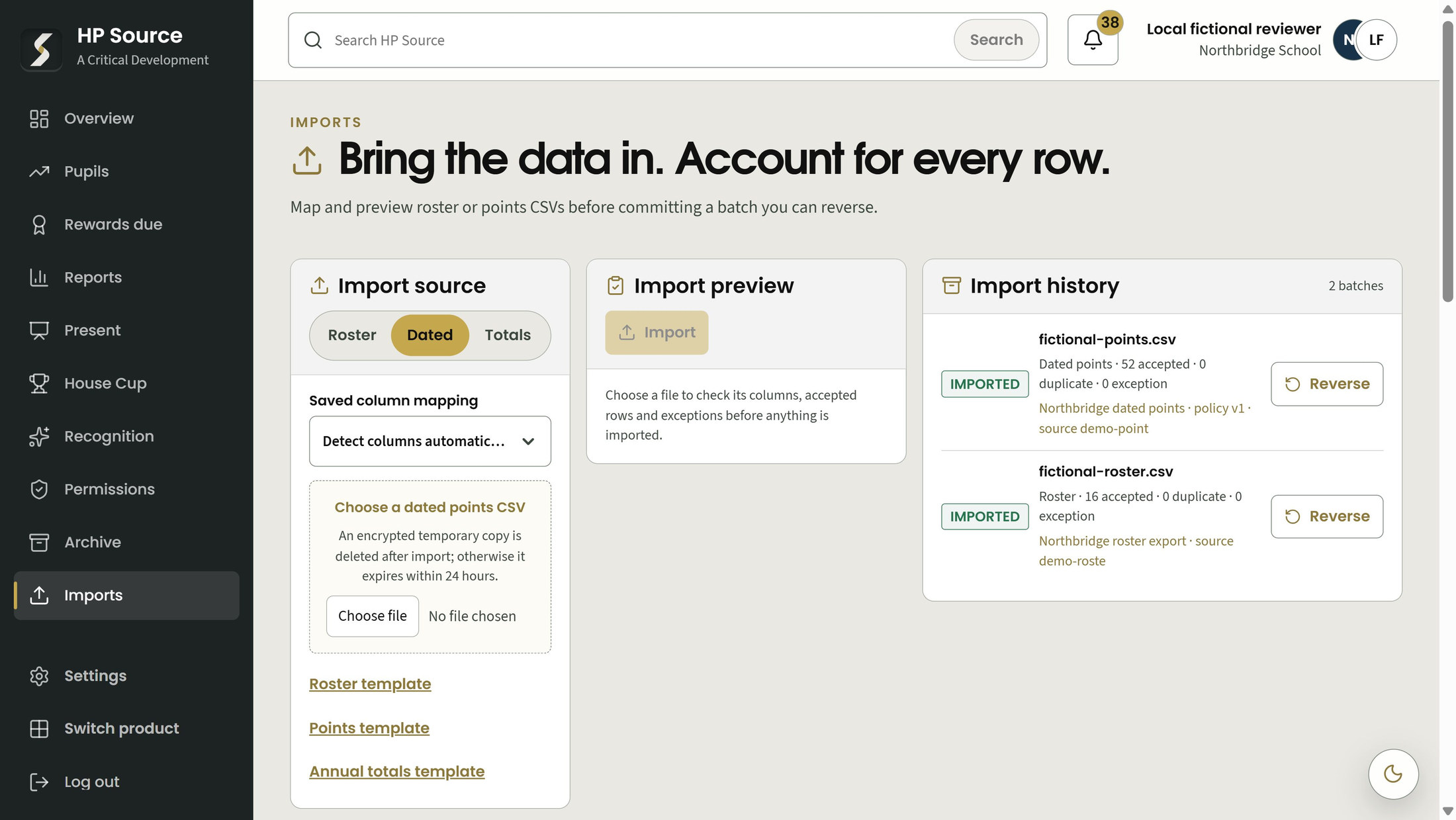
Import the approved minimum pupil, Year, form and House information. Resolve missing House membership through reviewed mappings, with the appropriate configuration and import permissions.
Bring dated achievement and behaviour evidence into the scoring workflow. Imported behaviour remains available for analysis; it affects scoring only where the school has explicitly chosen a category rule.
Reuse column mappings and review compact summaries of accepted records, duplicates and exceptions before committing an import.
Compare a chosen import period with an explicit school reference. If a batch needs correction, an authorised user reverses it while preserving the original evidence.
Use a cumulative pupil total when dated transactions are unavailable. This route supports annual rankings; it cannot be mixed with active dated transactions or used to invent weekly or term history.
A read-only Wonde connection can bring supported roster, activity and deletion information into the import process. Before activation, the school needs approved scope, agreed mappings and credentials, followed by a school-specific demonstration and checked setup.
A permitted, reviewed lesson command can be accepted from a connected product. The products must be licensed, the destination permission current and the school's event catalogue approved. Draft lessons do not automatically become points.
Compare results with the school's own records and demonstrate the chosen workflow before school use. Import checks do not certify supplier data. Discuss the required licences, data approval and connection setup before relying on a live integration. No automatic connection or invented point values are promised.
Choose a numbered marker to look closer.
Choose dated or annual evidence
Review the recorded batch
HP Source
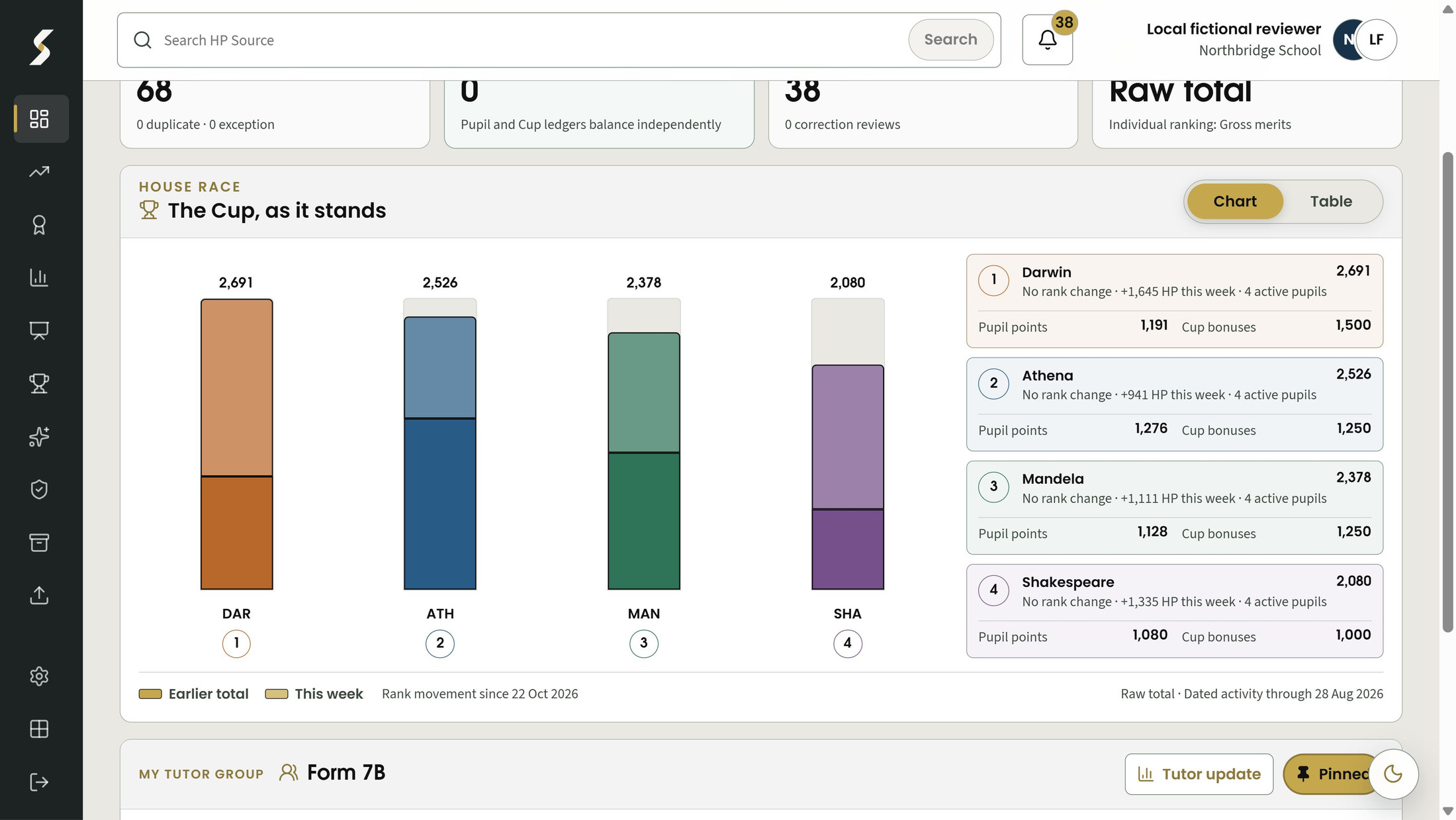
Make the scoring approach understandable before presenting the standings. Keep the chosen period, permitted pupil group and treatment of ties visible.
Review category rules and compare raw or per-pupil scoring before saving a new policy version. This is a school decision; earlier published snapshots retain the policy they used.
View raw House totals or points per average active pupil. Per-pupil scoring uses dated active membership rather than an assumed fixed House size; a missing population does not produce an invented score.
View pupil rankings for permitted school, Year, House or form groups. Week and term views require dated evidence. Equal results remain tied rather than creating an artificial winner.
Rankings describe the available evidence and the school's chosen rules. They do not establish a pupil's overall contribution or guarantee improved engagement.
Choose a numbered marker to look closer.
Standings stay alongside the chart
Keep the scoring basis visible
HP Source
Connect the school's reward thresholds to a clear responsibility and issue record. Keep earned points separate from the practical work of providing a reward.
Ask about availability and school setup for the preview queue and default-responsibility options.
Set named thresholds and reward items for earned entitlements. A pupil's earned total is not a spendable balance, and issuing a reward is not described as deducting points.
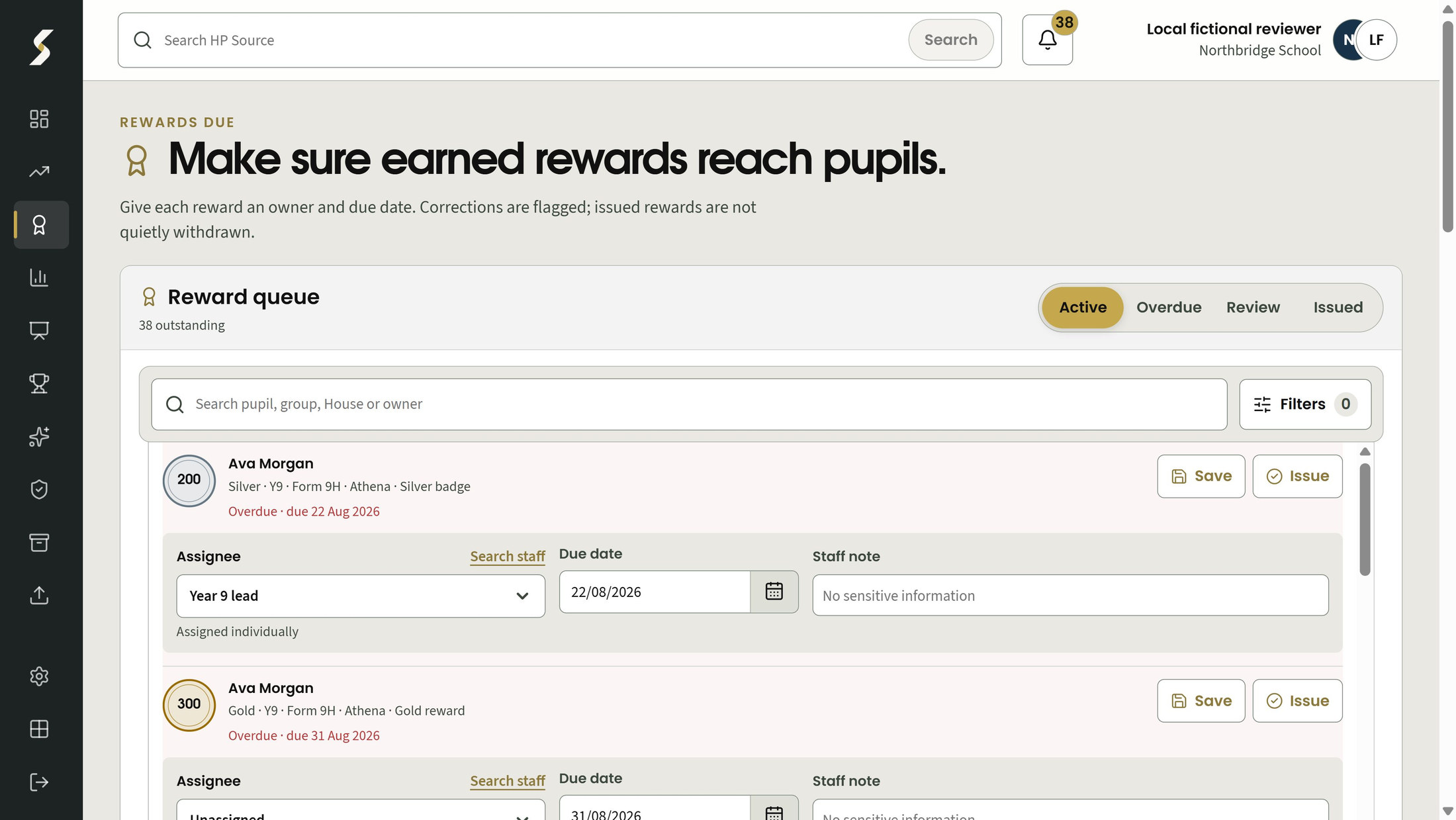
Record an owner, due date, notes and issued state with the entitlement. Reassigning responsibility does not grant new pupil access or send a message.
Preview queue options bring due, overdue and review cases together, prioritising unfinished permitted rewards. Issued rewards remain separate, and the list does not widen pupil access.
School or tier defaults can use linked tutor, Year lead, House lead or coordinator responsibilities. Missing or ambiguous staff links leave the reward unassigned rather than guessing.
Reward permissions and current pupil access still apply. Responsibility, entitlement and issue are separate records.
Choose a numbered marker to look closer.
Assign an owner and due date
Record when it is issued
HP Source
Bring competition results, deliberate House adjustments and season history into one understandable Cup record, separate from individual pupil point totals.
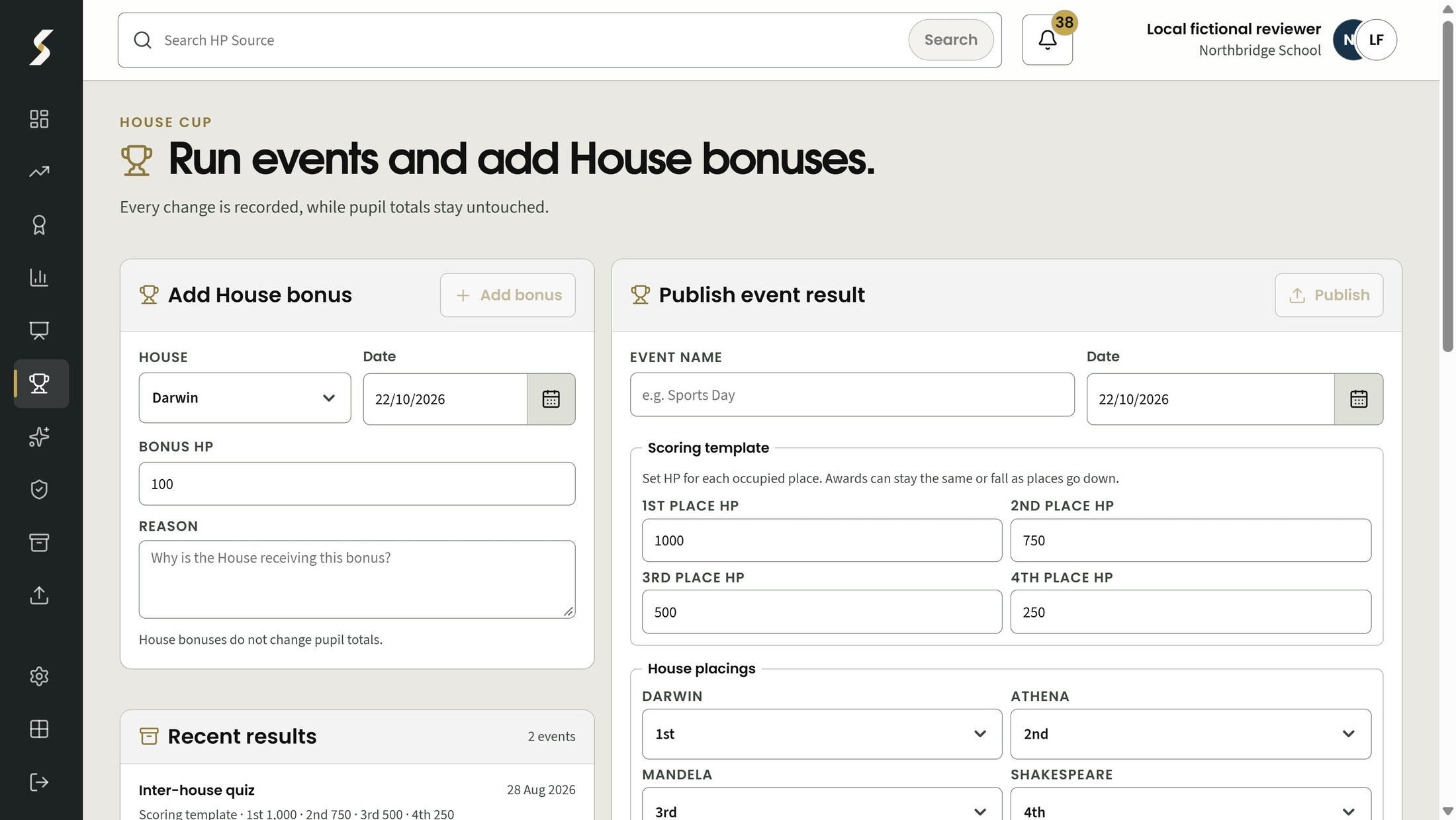
Enter a placing for every active House and freeze the reviewed scoring scale. Tied occupied awards are shared fairly without inventing a single winner.
Record discretionary House bonuses separately from pupil totals. Correct a transaction through an equal-and-opposite reversal while keeping the original visible; repeat reversals are rejected.
Preview academic-year rollover and keep final standings and historic champions. Changing a finalised Cup season requires deliberate reopening, so historic corrections remain explicit.
Cup transactions and pupil points serve different purposes. A House bonus does not silently change individual pupil totals.
Choose a numbered marker to look closer.
Record the House and date
Explain the adjustment
HP Source
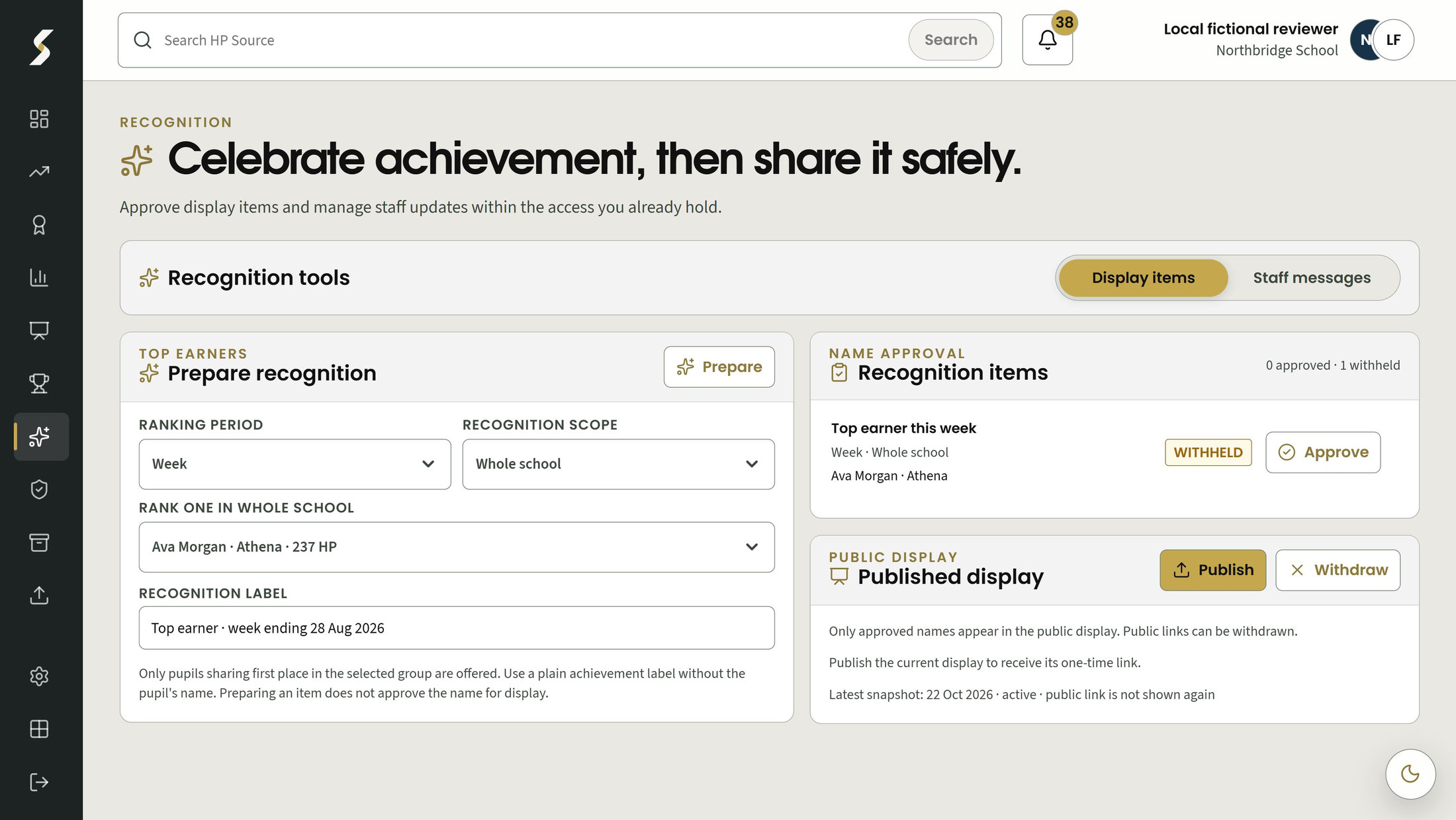
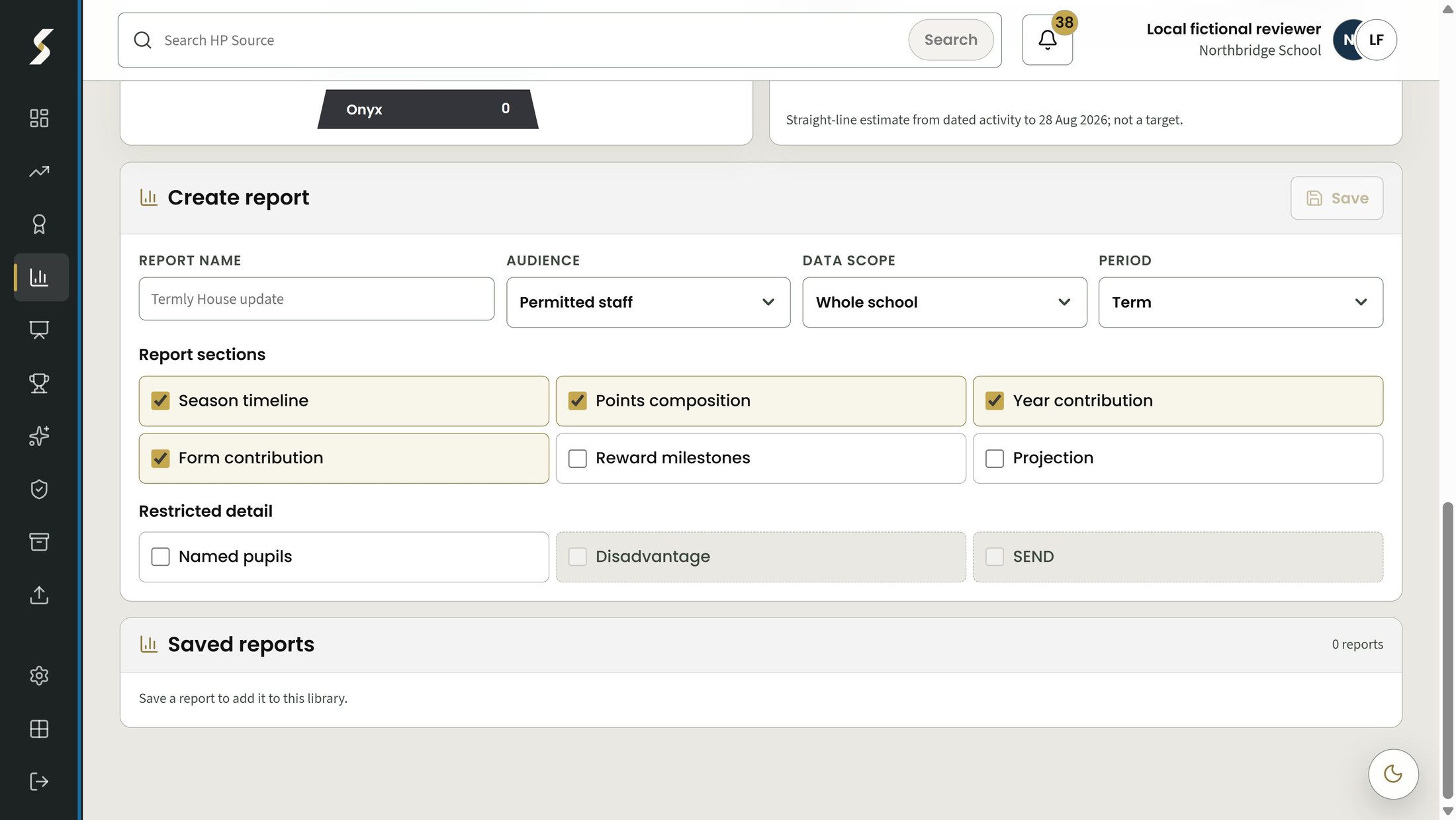
Report scope and audience should be chosen together. These preview reporting options distinguish shared summaries from the private numerical detail a tutor is permitted to see.
Preview reporting: ask about availability, the required school setup and permitted audiences.
Choose the report's permitted group, period and audience, then publish a fixed result. A saved definition provides a repeatable starting point without silently changing an earlier publication.
A tutor can read the published numerical totals for their currently permitted pinned form. Private pupil totals remain outside public display content, and current permission is checked when the report is read.
These preview options require additional reporting setup and confirmation of availability before school use. Private pupil totals remain separate from public displays.
Choose a numbered marker to look closer.
Choose audience, scope and period
Restricted detail needs permission
HP Source
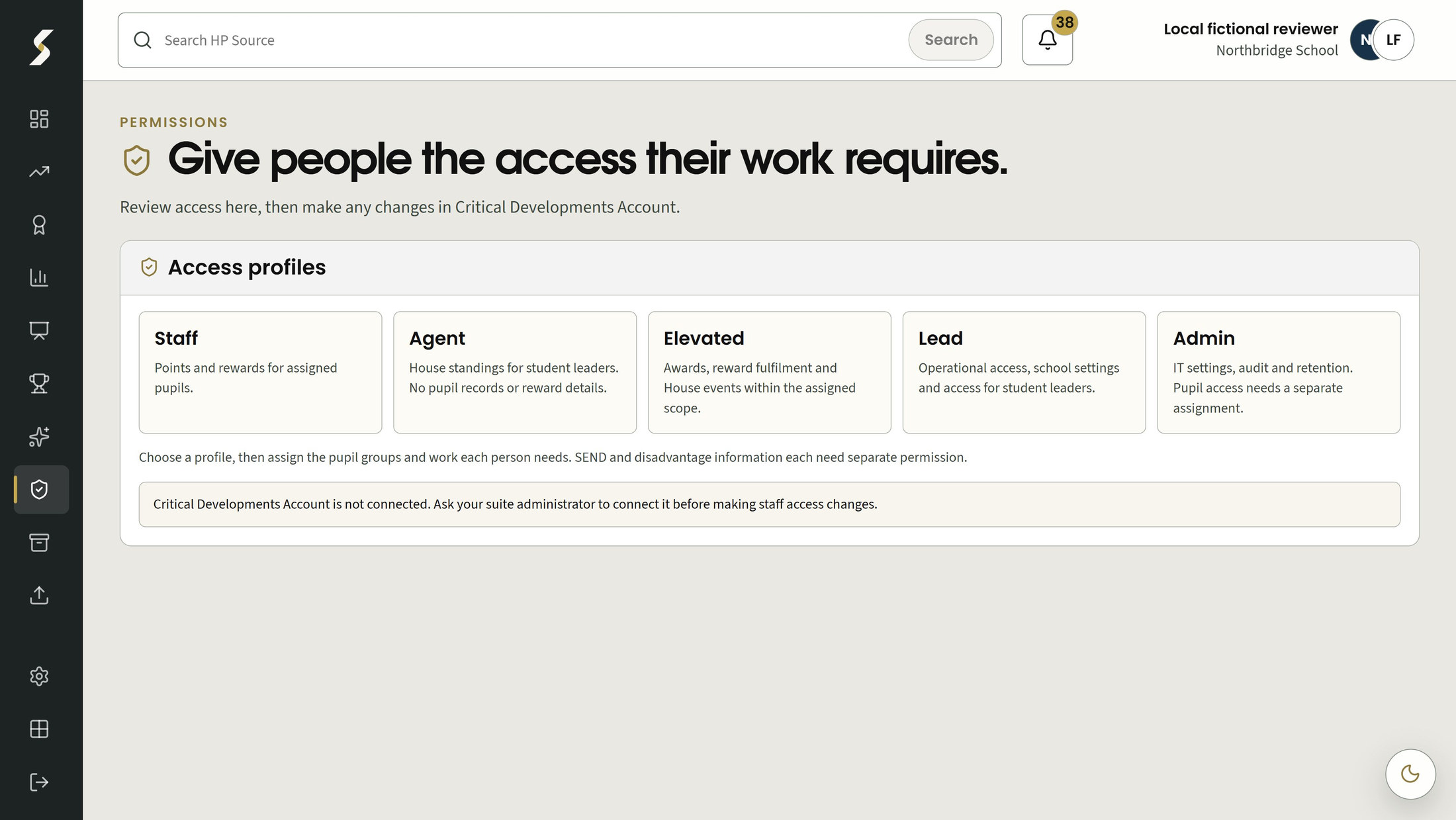
Match the information shown to the staff member's responsibility, and make deliberate school decisions about how long records should be kept.
Sensitive-cohort analysis is a preview option; confirm availability and the separate permissions required.
Named pupil records follow ordinary pupil permissions. Aggregate-only views can omit pupil names. An assignment or administrator role alone does not grant named or sensitive access.
SEND and disadvantage analysis each require separate permission, which administrators do not inherit. This scoped preview option is subject to availability; confirm the permitted view and school setup before use.
Preview which records a retention policy would affect, and use deliberate controls before deletion or removal of identifying information. Legal holds can preserve records that need to be retained.
Retention periods and live use require school and data-protection approval. These controls support school decisions; they are not a compliance certificate.
Choose a numbered marker to look closer.
Responsibilities have distinct profiles
Pupil access needs a separate assignment
Find the detail
Browse by school job, feature or the people using it.
Features 31
No matching features. Try a broader term or clear the filters.
Wonde and lesson-to-points connections need approved school scope, relevant licences and checked setup before activation.
Import the minimum pupil, Year, form and House membership needed for House work.
For house coordinators, data managers
Resolve roster House exceptions through explicit approved mappings.
For data managers, school administrators
Bring dated achievement and behaviour evidence into the scoring workflow.
For house coordinators, data managers
Reuse column mappings and inspect accepted, duplicate and exception counts before commit.
For data managers, house coordinators
Compare a bounded import period with an explicit reference and retain the result.
For house coordinators, data managers
Reverse an imported batch instead of editing operational totals in place.
For data managers, house coordinators
Accept a cumulative pupil total when dated transactions are unavailable.
For data managers, house coordinators
A source adapter can read roster, activity and deletion pages through the common import contract.
For school administrators, data managers
Accept a permitted reviewed lesson command with source verification and a persistent retry identity.
For authorised teaching staff, house coordinators
Preview the effect of category rules and raw or per-pupil scoring before saving a new version.
For house coordinators, school administrators
Show House standings using raw totals or points per average active pupil.
For house coordinators, house leads, aggregate viewers
View tied pupil rankings for permitted school, Year, House and form scopes.
For house coordinators, house leads, tutors
Ask about availability and school setup for the preview queue and default-responsibility options.
Configure named thresholds and reward items for earned entitlements.
For house coordinators, school administrators
Keep owner, due date, notes and issued state with the entitlement.
For house coordinators, house leads, tutors
Bring due, overdue and review rewards together for currently permitted pupils.
For house coordinators, house leads, tutors
Order permitted unfinished rewards with review cases first, then overdue and due items.
For house coordinators, house leads, tutors
Resolve a school or tier default to a linked tutor, year lead, House lead or coordinator.
For school administrators, house coordinators
Record complete House placings and freeze the reviewed scoring scale, including fair treatment of ties.
For house coordinators, authorised event staff
Keep discretionary House bonuses and equal-and-opposite corrections separate from pupil totals.
For house coordinators, authorised House leads
Preview rollover and retain final standings and historic champions.
For house coordinators, school administrators
Preview reporting: ask about availability, the required school setup and permitted audiences.
Save a report scope, period and audience, then publish an immutable result.
For authorised report publishers, school leaders
Read only the published numeric totals for the staff member current permitted pinned form.
For tutors, authorised staff
Sensitive-cohort analysis is a preview option; confirm availability and the separate permissions required.
Apply ordinary pupil scope to named records while allowing aggregate-only views without pupil names.
For school administrators, house leads, tutors, aggregate viewers
Separate SEND and disadvantage analysis from ordinary House and administrator access.
For authorised school leaders, school administrators
Preview bounded retention and require deliberate policy control before deletion or de-identification.
For school administrators, data protection owners
Make it work for your school
Explore another app, check the complete annual price, or arrange a conversation about your school’s needs and Wonde MIS integration.